Critical-path screenshots for once-through — intake, forced AI run, and report acceptance.
This is the once-through critical path in screenshots (capture 2026-08-09). Bulk-upload documents, confirm intake, then an unattended run with forced AI. You accept at the end. You need AI tokens or an access grant before the run starts.Same spine as every approach: Product workflow. Approach hub: Once-through assessment. Phased path: Phased walkthrough.
What the assessment is for
Once-through still produces the same IRAM 2.0-based answer — organisation through residual risk into an issued report — but most worksheet work is replaced by intake + forced enrichment.
Stage
What you establish
Intake
Document pack classified and gaps confirmed
Organisation → Residual (P1–P9)
Server-driven draft with forced AI
Report (P10)
Review, accept, and issue
1. Choose once-through
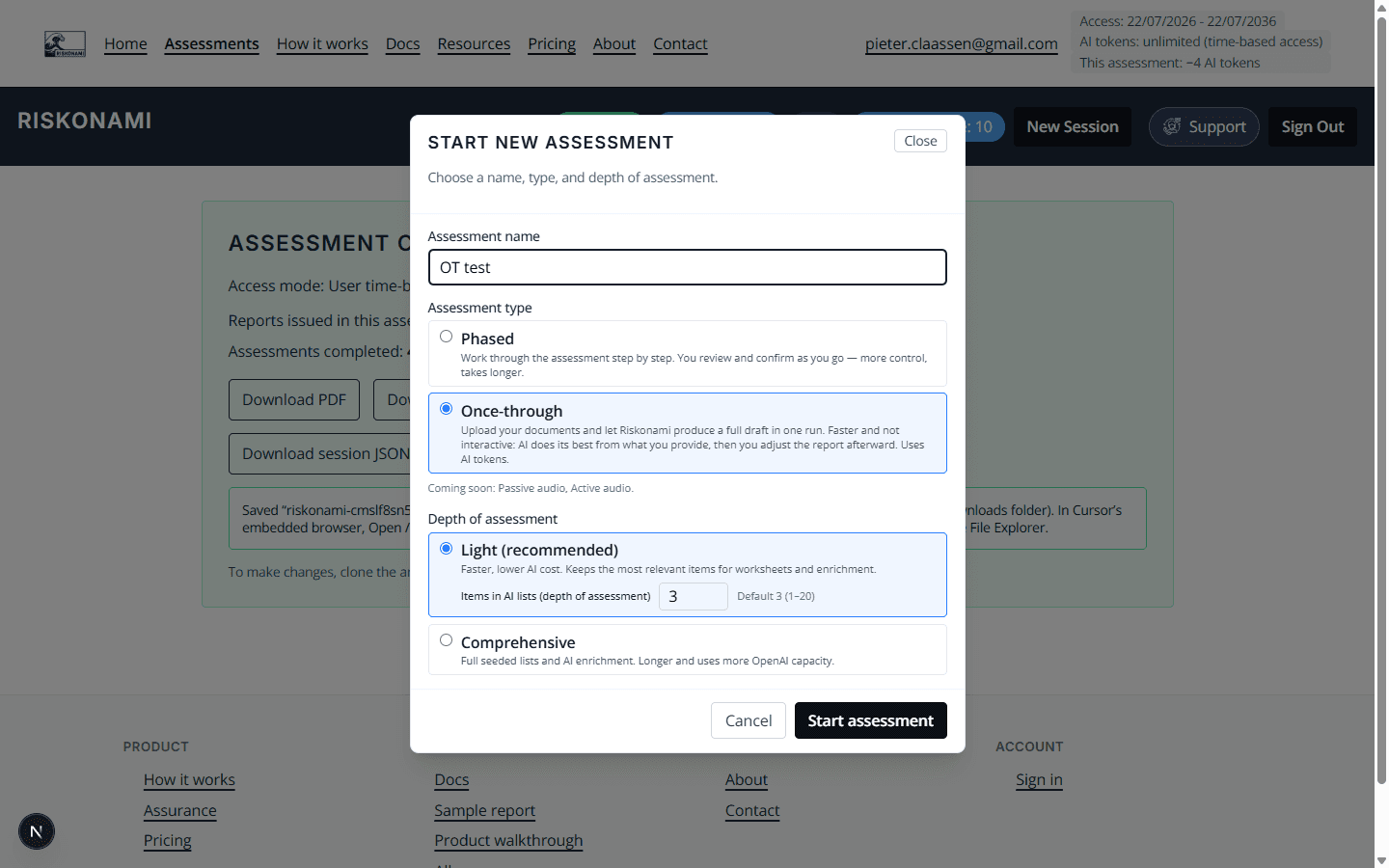
Start a new assessment and select Once-through (and survey depth such as Light).
Choose once-through mode
Mode choice is permanent for that session’s track — switch approaches only by starting the other path.
Capture 2026-08-09
2. Upload intake documents
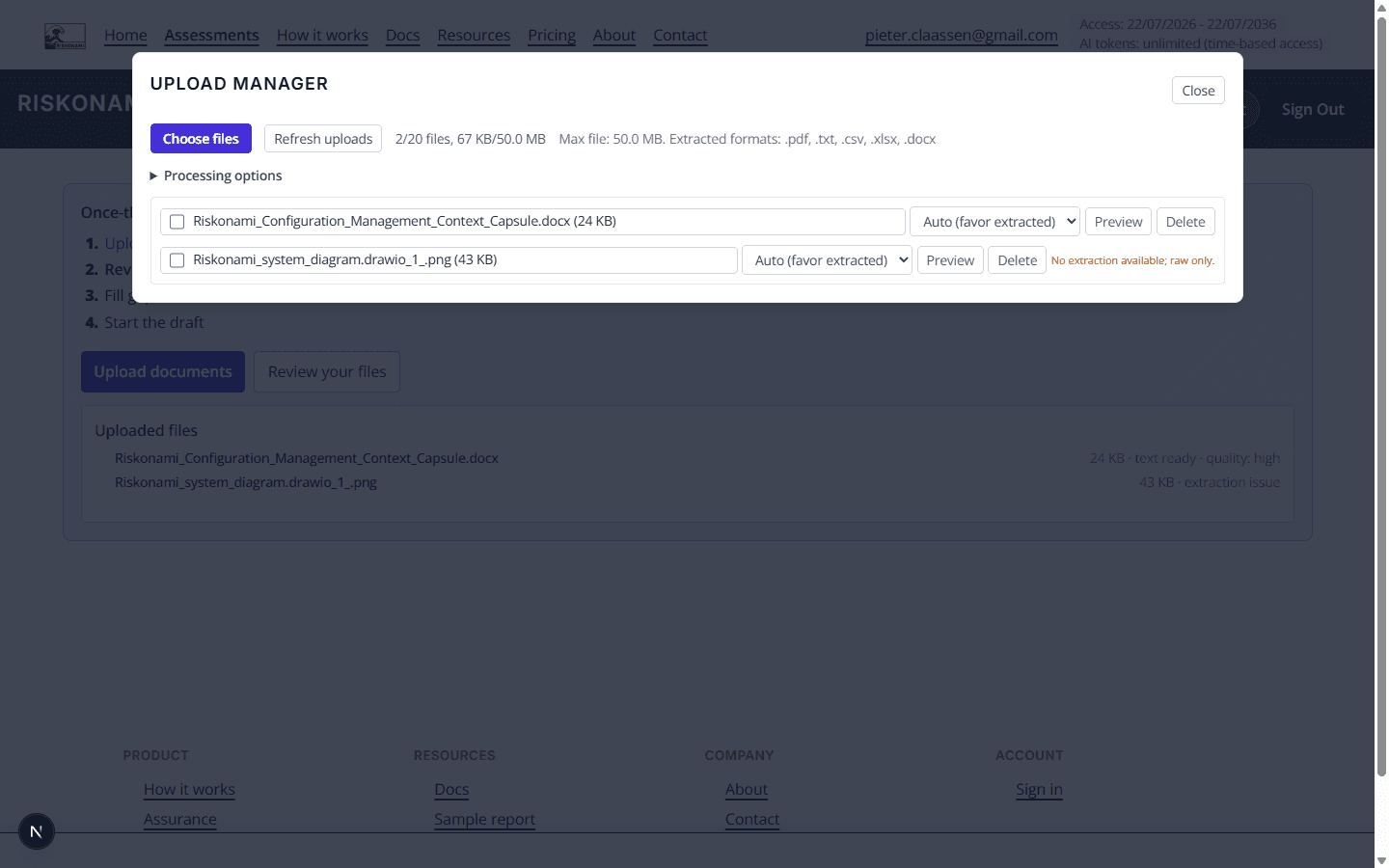
Upload organisation and architecture packs. The server will classify what is usable.
Upload intake documents
Bulk upload replaces the phased interview for early context.
Capture 2026-08-09
3. Fill gaps and confirm intake
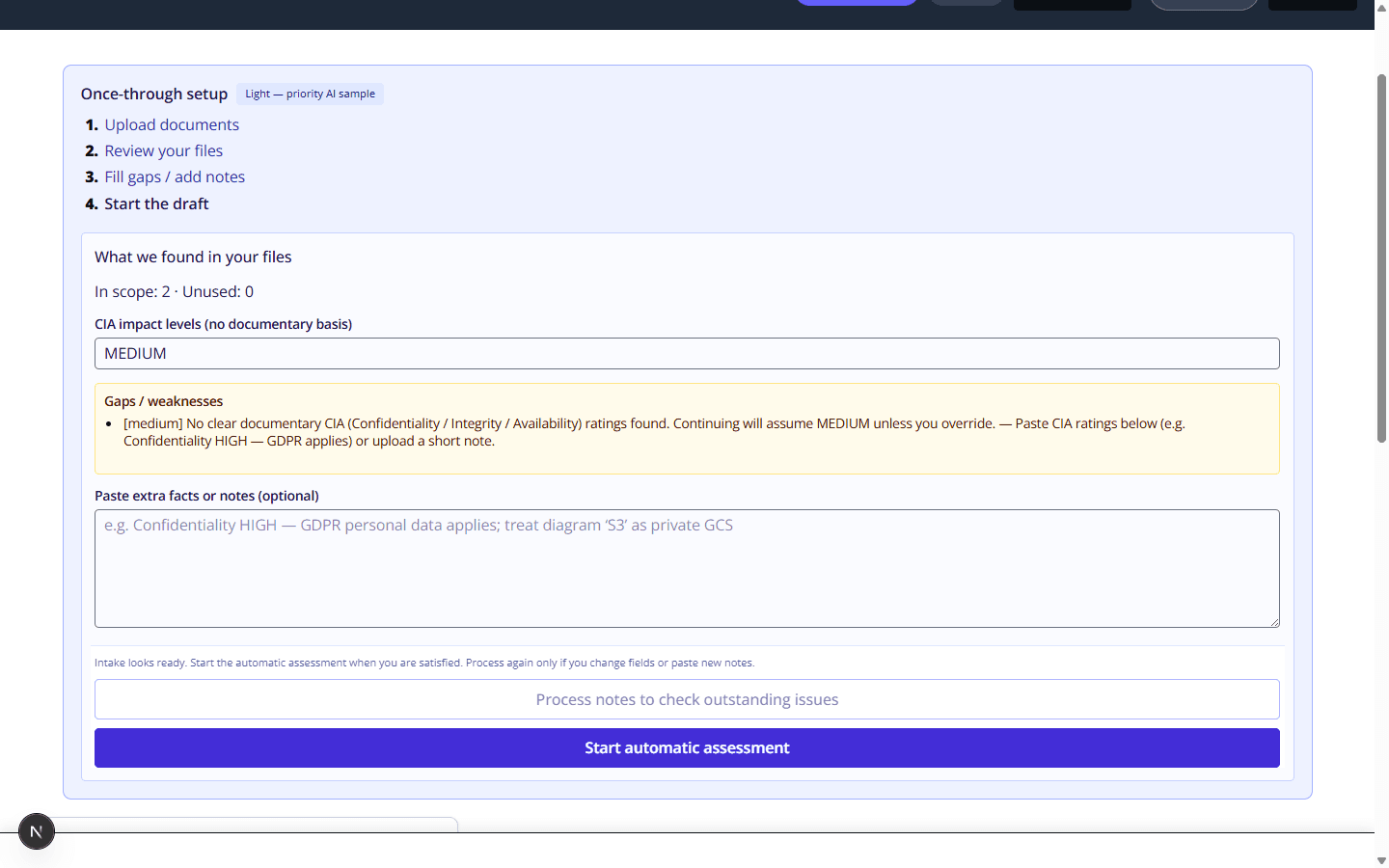
Review assumptions and gaps (for example CIA defaults). Fix what matters, then start the automatic assessment.
Fill gaps before the run
Confirming intake is your last gate before forced enrichment runs unattended.
Capture 2026-08-09
4. Automatic run starts
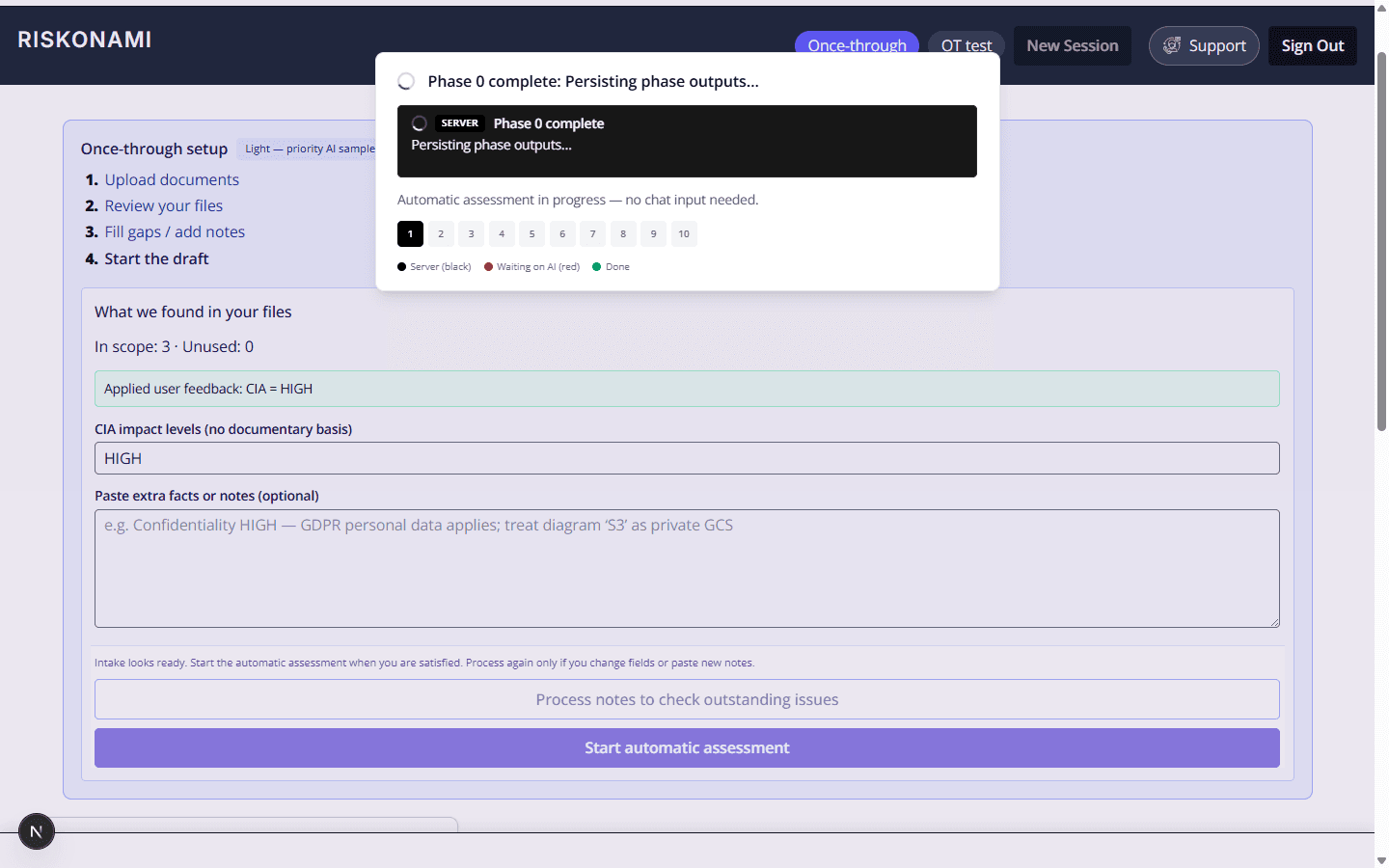
After intake, phases 1–9 advance with forced AI. Progress shows on the tracker.
Start automatic once-through run
You are not answering every worksheet; the server drives enrichment and advancement.
Capture 2026-08-09
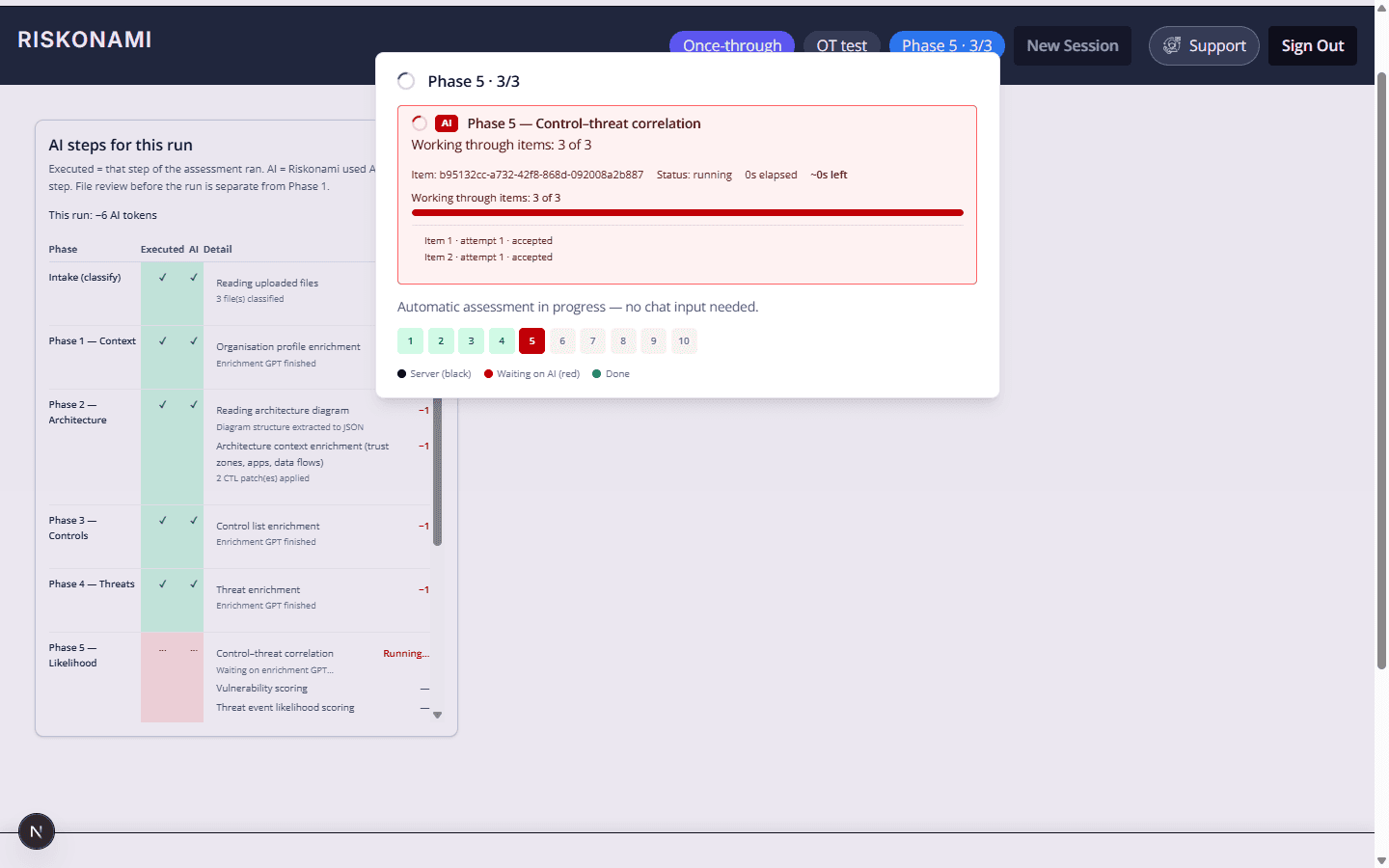
5. AI in progress
During the run you see enrichment progress (for example Phase 5 correlation).
Once-through AI in progress
Same spine as phased — different pace and forced AI.
Capture 2026-08-09
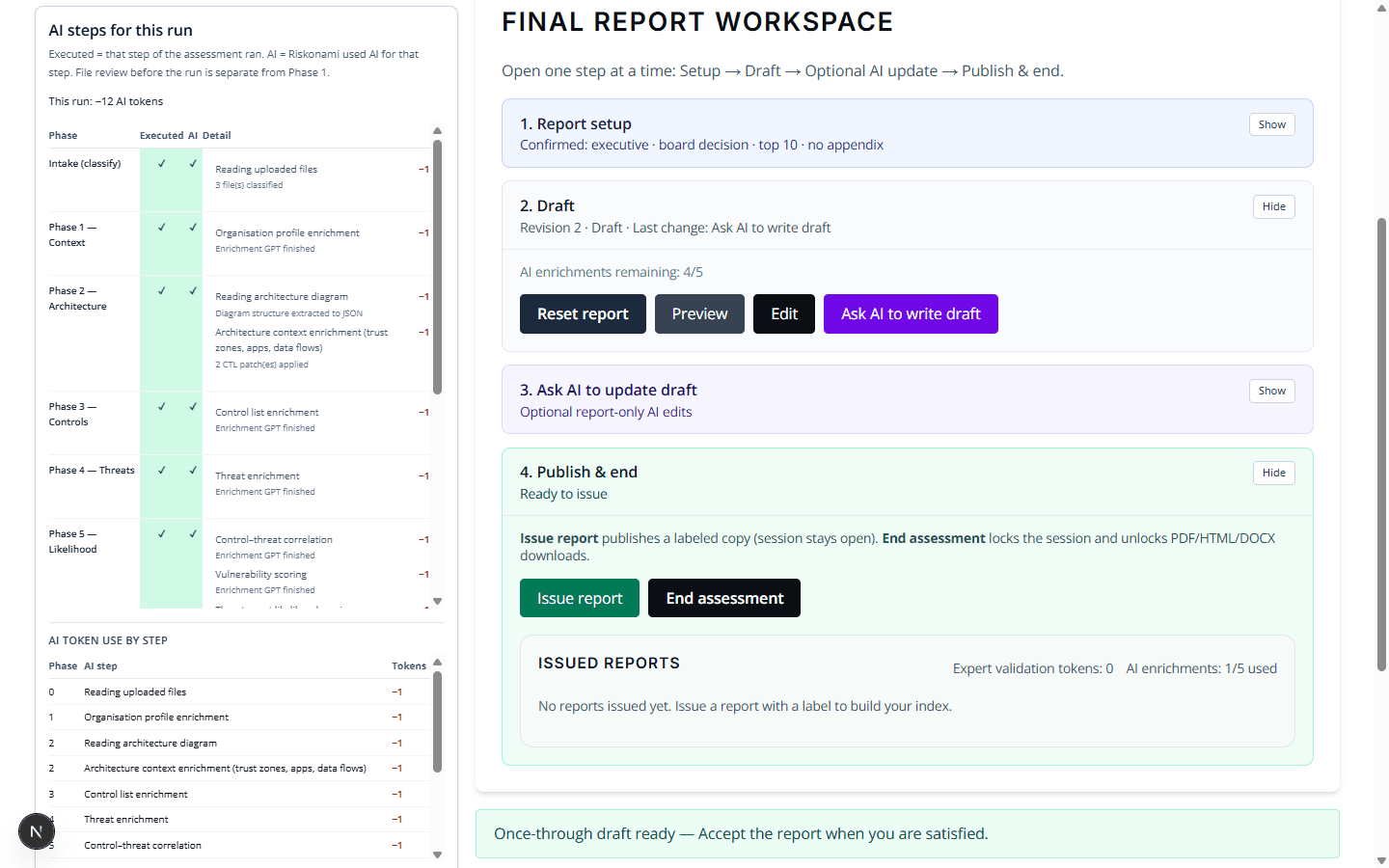
6. Report draft ready
When the run finishes, open the report workspace, review the draft, and accept / issue.