Critical-path screenshots for the phased IRAM 2.0 assessment — worksheets, optional AI gates, and report issuance.
This is the phased critical path in screenshots (capture 2026-08-09). You walk each phase with worksheets and the action dock. At enrichment gates you can affirm AI or Skip (free path).Same spine as every approach: Product workflow. Approach hub: Phased assessment. Once-through path: Once-through walkthrough.
What the assessment is for
Boards and security leaders need a defensible answer to: What can go wrong for this system, how bad would it be, what are we doing about it, and what residual risk remains? Riskonami produces that answer as a traceable ten-phase chain, not a chat transcript.
Stage
What you establish
Organisation (P1)
Who, what system, CIA / impact
Architecture (P2)
How the system is built
Controls (P3)
Which control points matter and how they are implemented
Threats (P4)
What can go wrong (locked threat set)
Likelihood (P5)
How plausible each threat is, given controls
Inherent risk (P6)
Risk before treatment
Treatment & remediation (P7–P8)
What you will do
Residual risk (P9)
Risk after treatment
Report (P10)
Issued deliverable
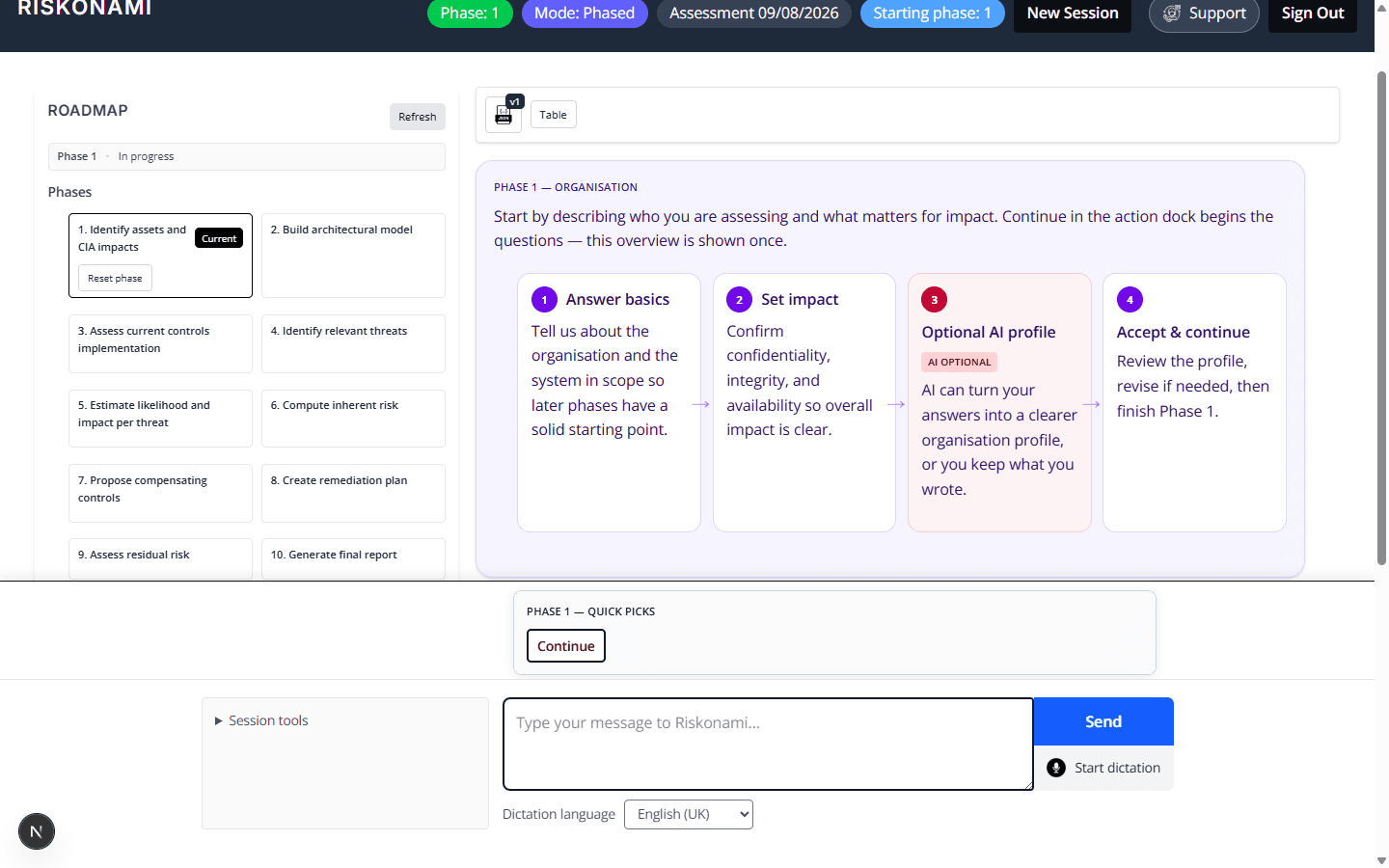
1. Start Phase 1 — organisation overview
The roadmap shows all ten phases. Phase 1 explains the outcome and where optional AI can refine the organisation profile after your answers.
Phase 1 overview (phased)
Continue in the dock begins the questions. The overview is shown once per phase entry.
Capture 2026-08-09
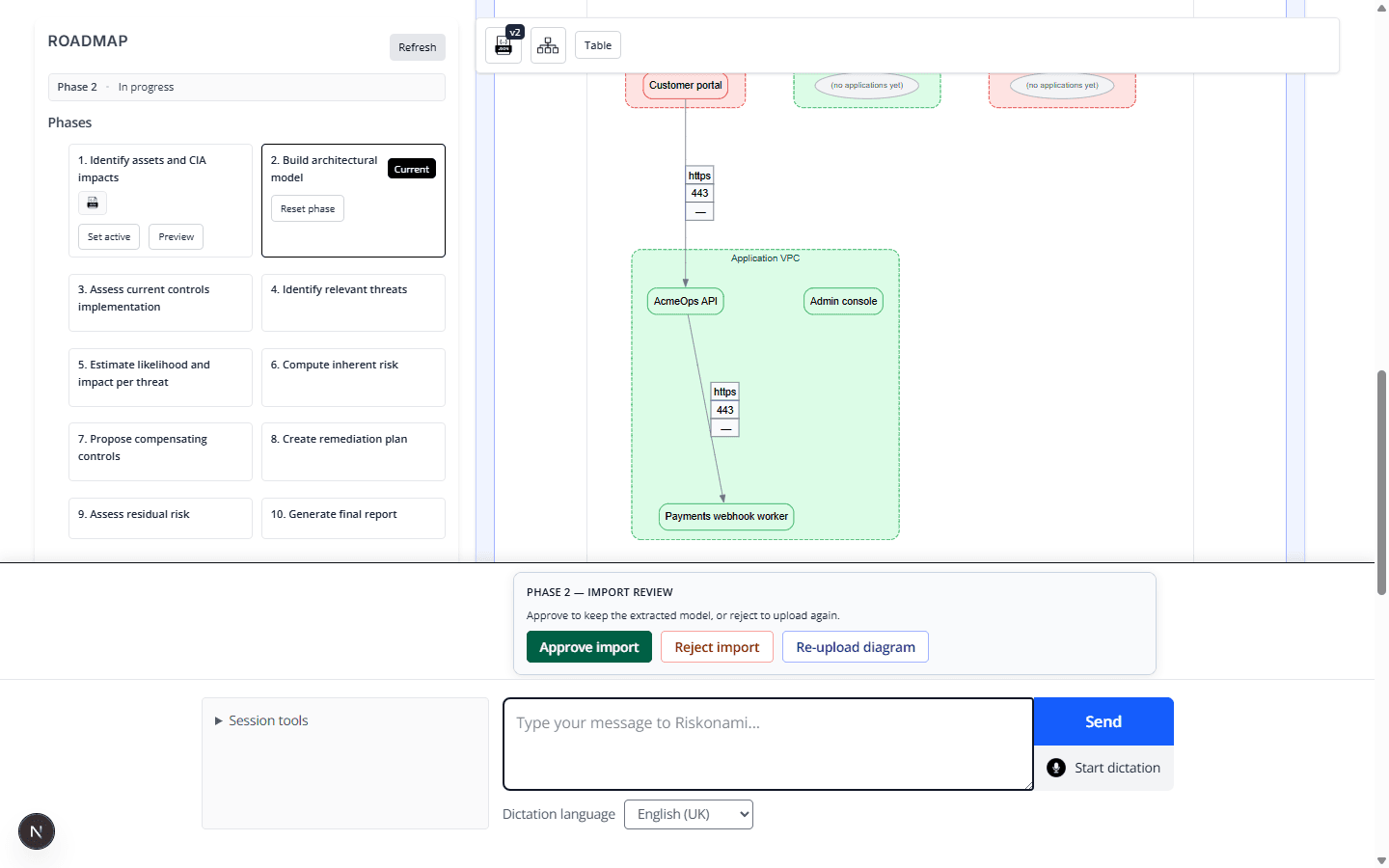
2. Architecture — approve the model
Phase 2 builds the environment later phases match against. Here a diagram import is ready to Approve (or Reject / re-upload).
Approve imported architecture
Without a solid architecture model, control matching and threat seeding have nothing reliable to bind to.
Capture 2026-08-09
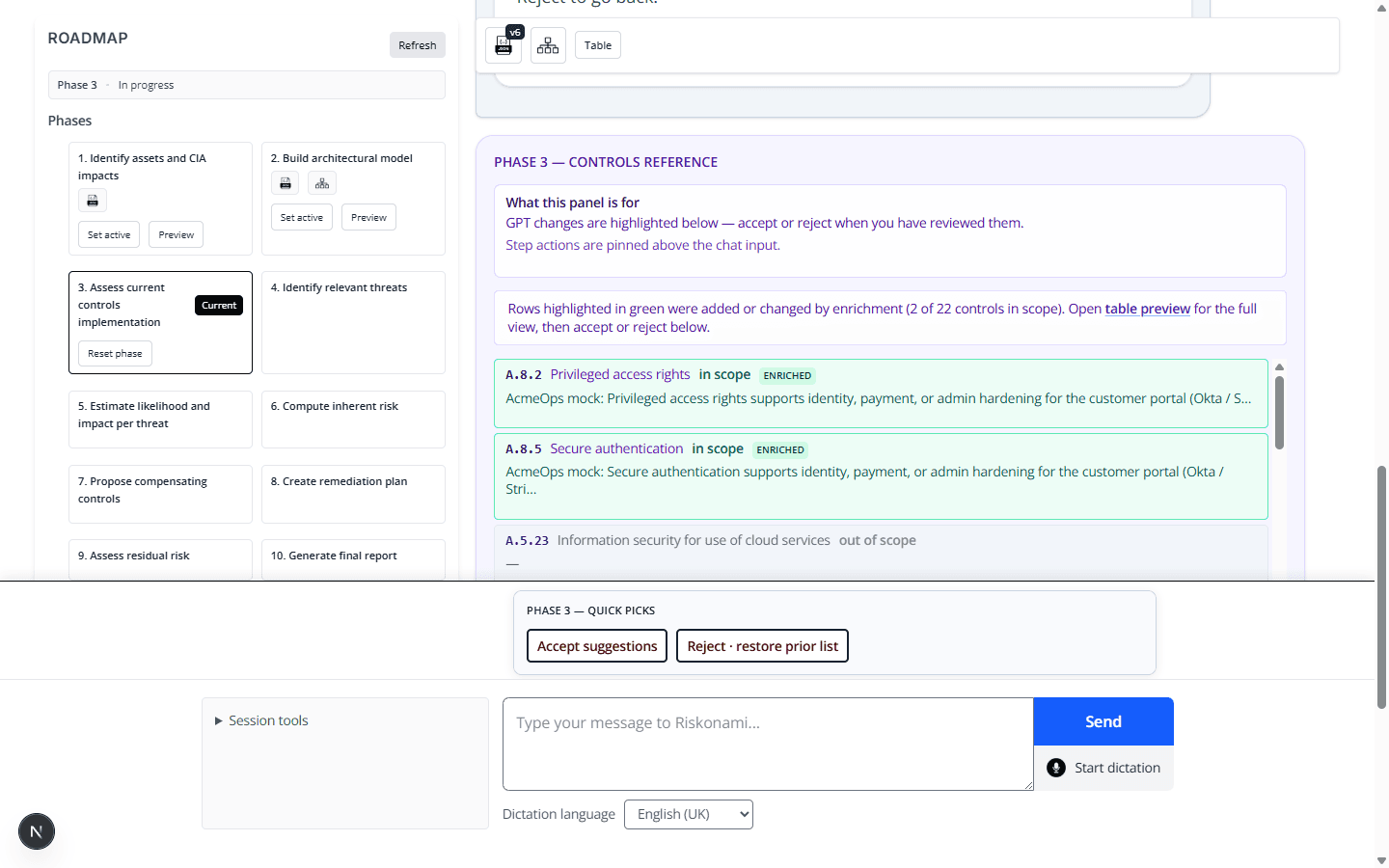
3. Controls — accept or reject AI enrichment
Phase 3 scopes ISO-style control points. After optional AI help, review highlighted changes and Accept or restore the prior list.
Accept AI control enrichments
You stay in control: enrichment proposes; you accept or reject the whole proposal.
Capture 2026-08-09
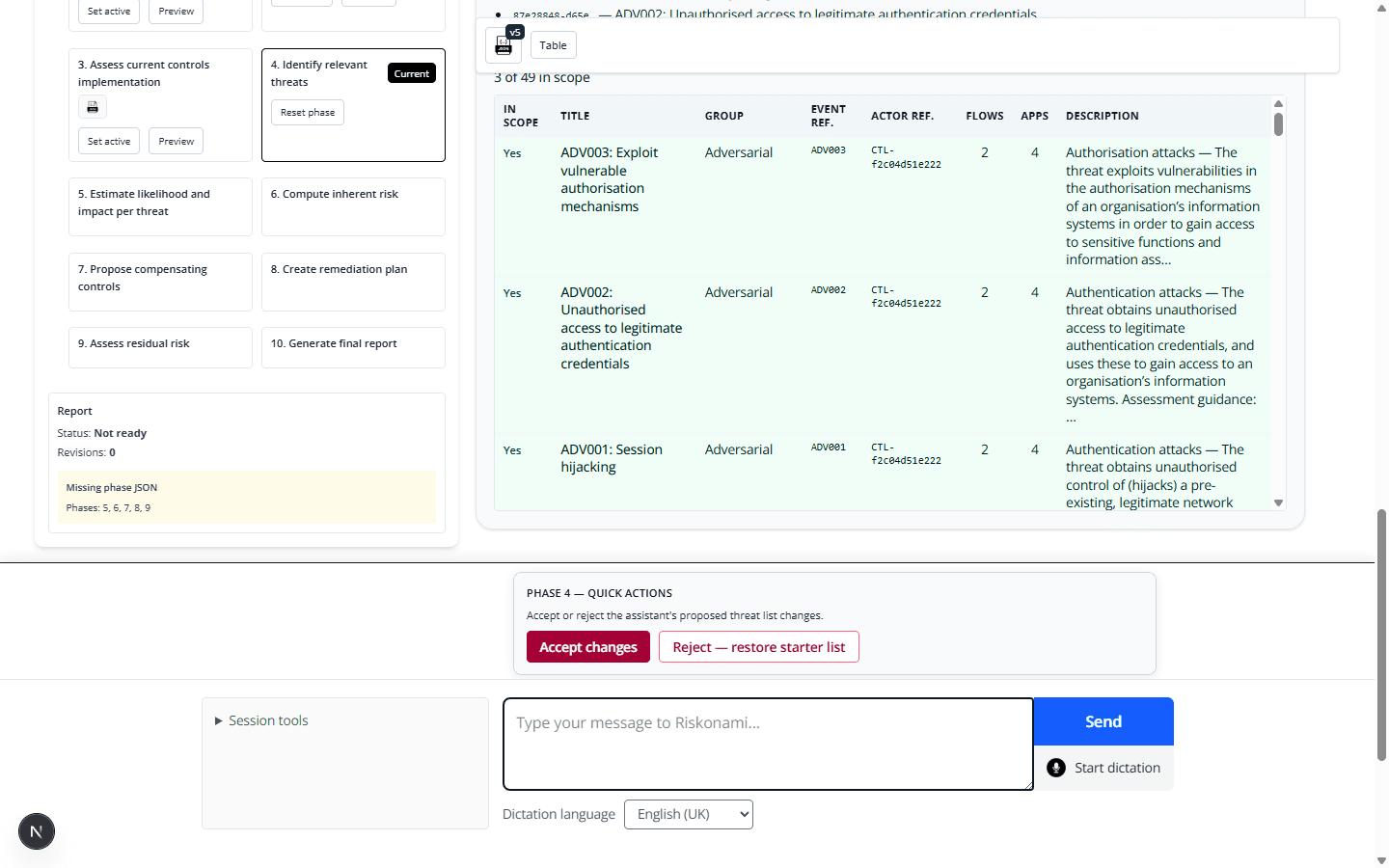
4. Threats — lock the threat set
Phase 4 seeds and curates threats. Accepting the AI list (or editing manually) locks what later phases will score.
Accept AI threat list
Later phases score this set; they do not freely invent a second threat catalogue.
Capture 2026-08-09
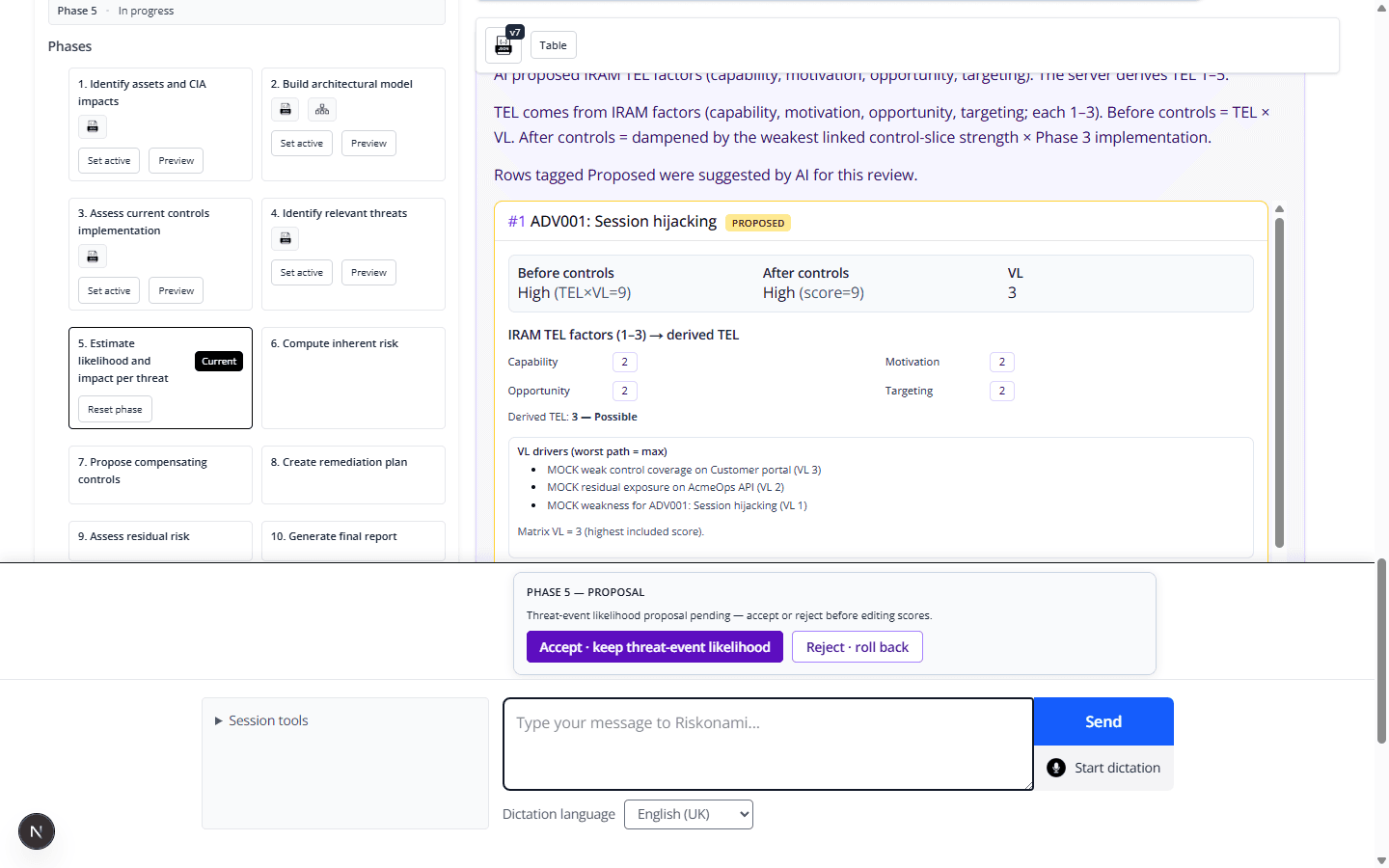
5. Likelihood — accept VL / TEL proposals
Phase 5 links controls to threats and sets vulnerability and threat-event likelihood. Affirm AI proposals when they look right.
Accept AI likelihood scores
This is where “how plausible is this attack path?” becomes structured scores the server can use.
Capture 2026-08-09
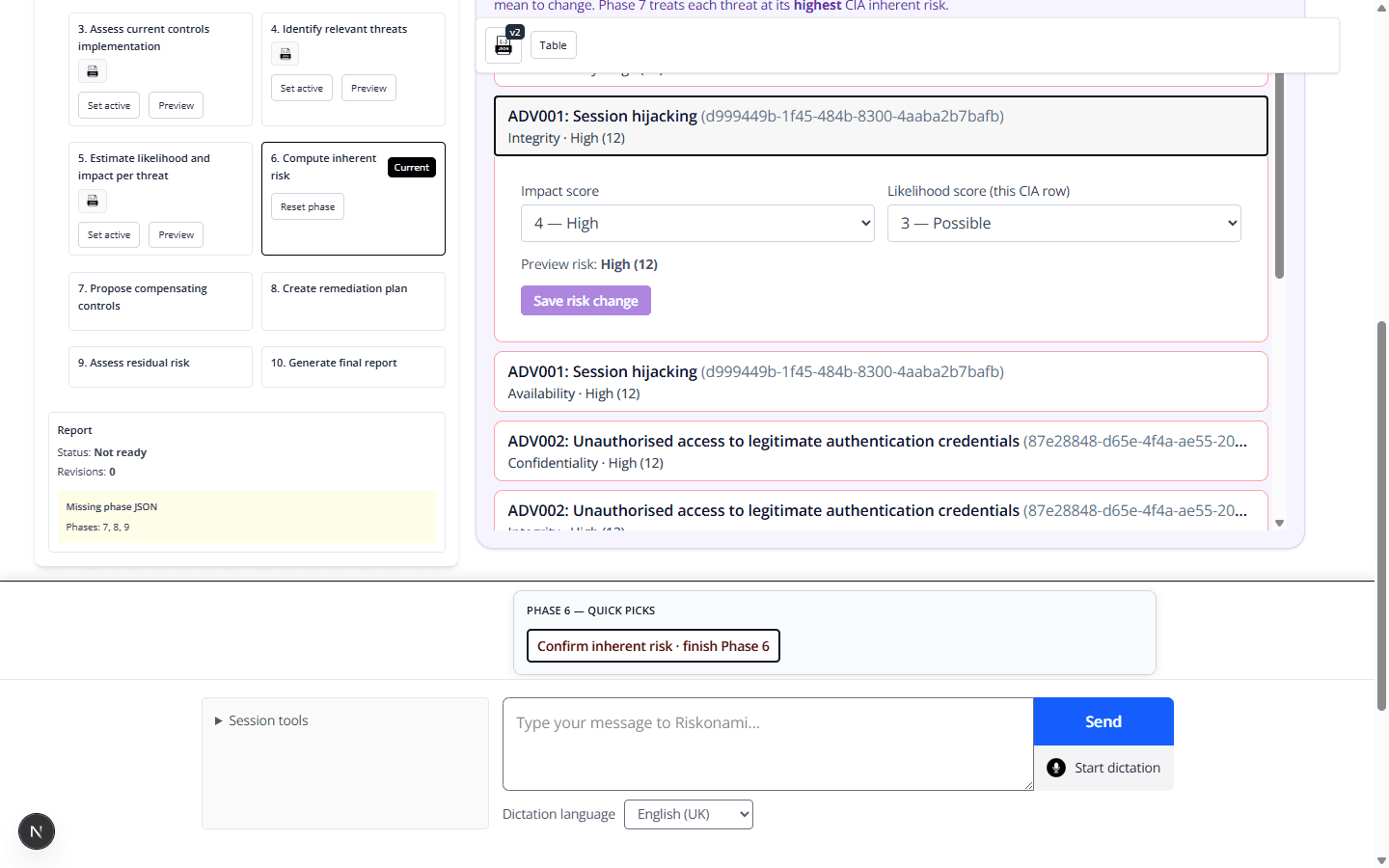
6. Inherent risk — review before treatment
Phase 6 combines impact and inherent likelihood so you see risk before compensating controls.
Review inherent risk
Confirming inherent risk sets the baseline the treatment phases must improve.
Capture 2026-08-09
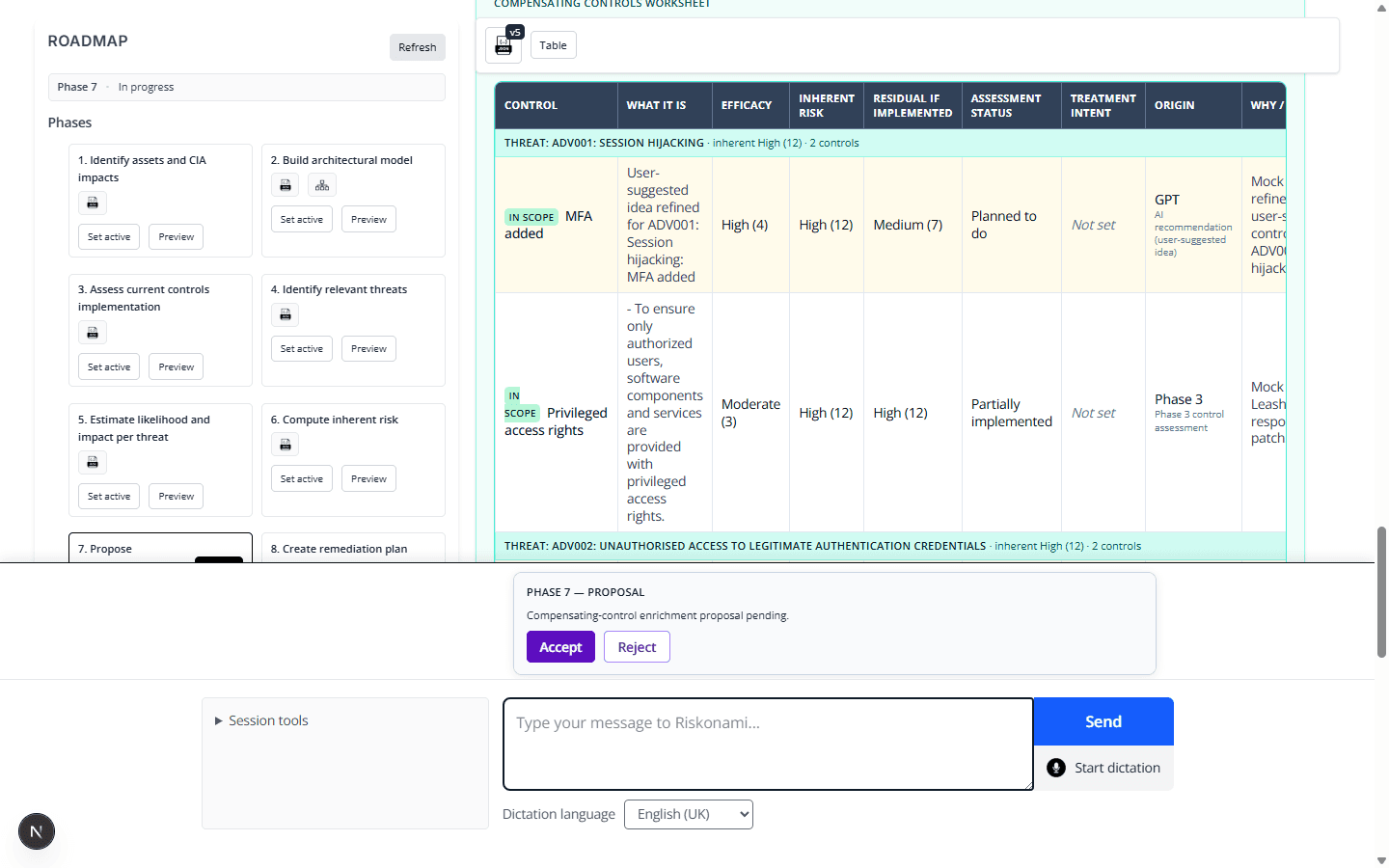
7. Treatment — accept compensating controls
Phase 7 proposes how you will treat high risks (for example MFA). Accept or reject the AI proposal, then continue.
Accept AI treatment controls
Treatment turns “what is wrong” into “what we will do.”
Capture 2026-08-09
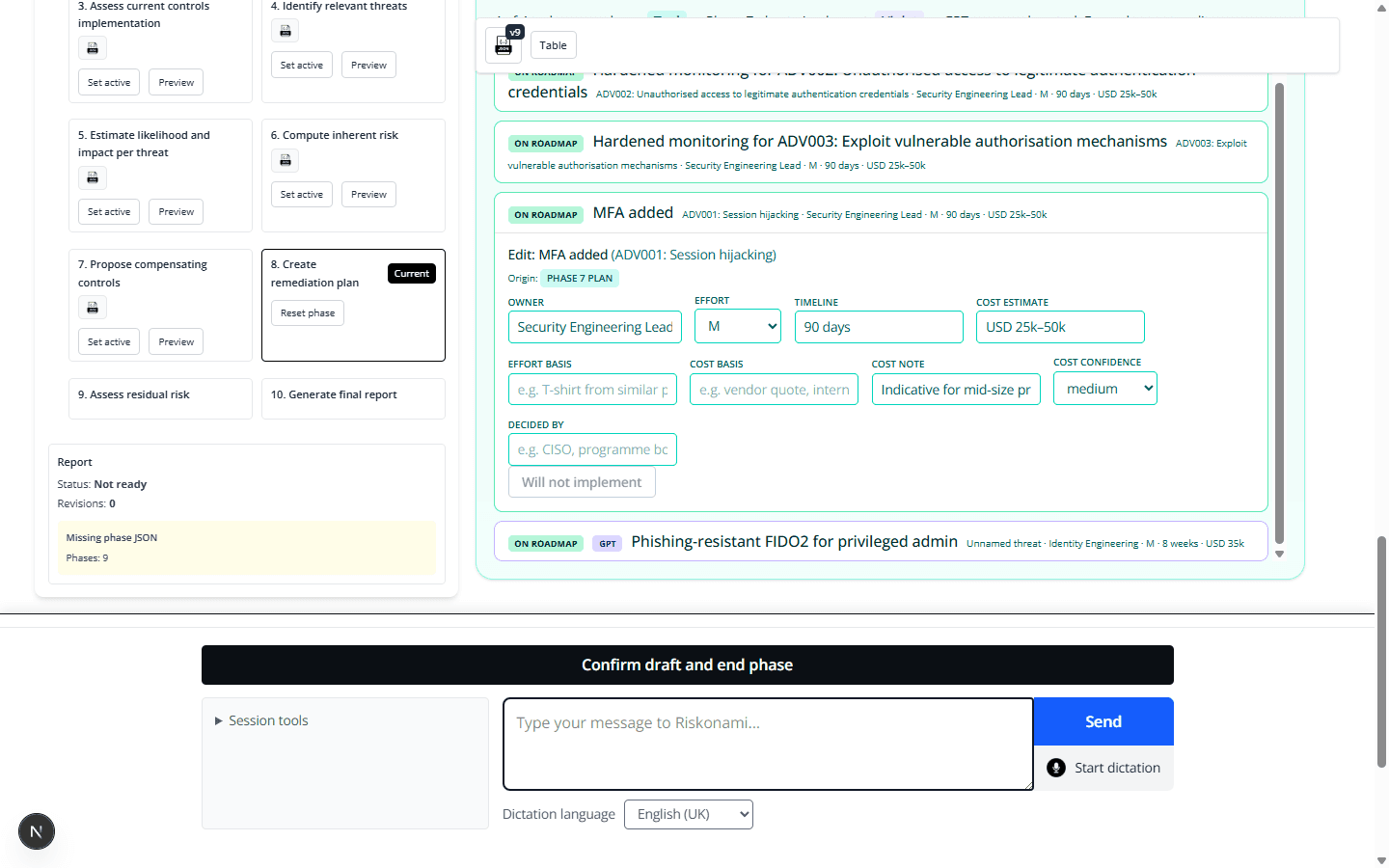
8. Remediation — own the roadmap
Phase 8 turns treatments into a practical plan (owner, effort, cost).
Build remediation roadmap
This is the actionable backlog auditors and delivery teams expect to see.
Capture 2026-08-09
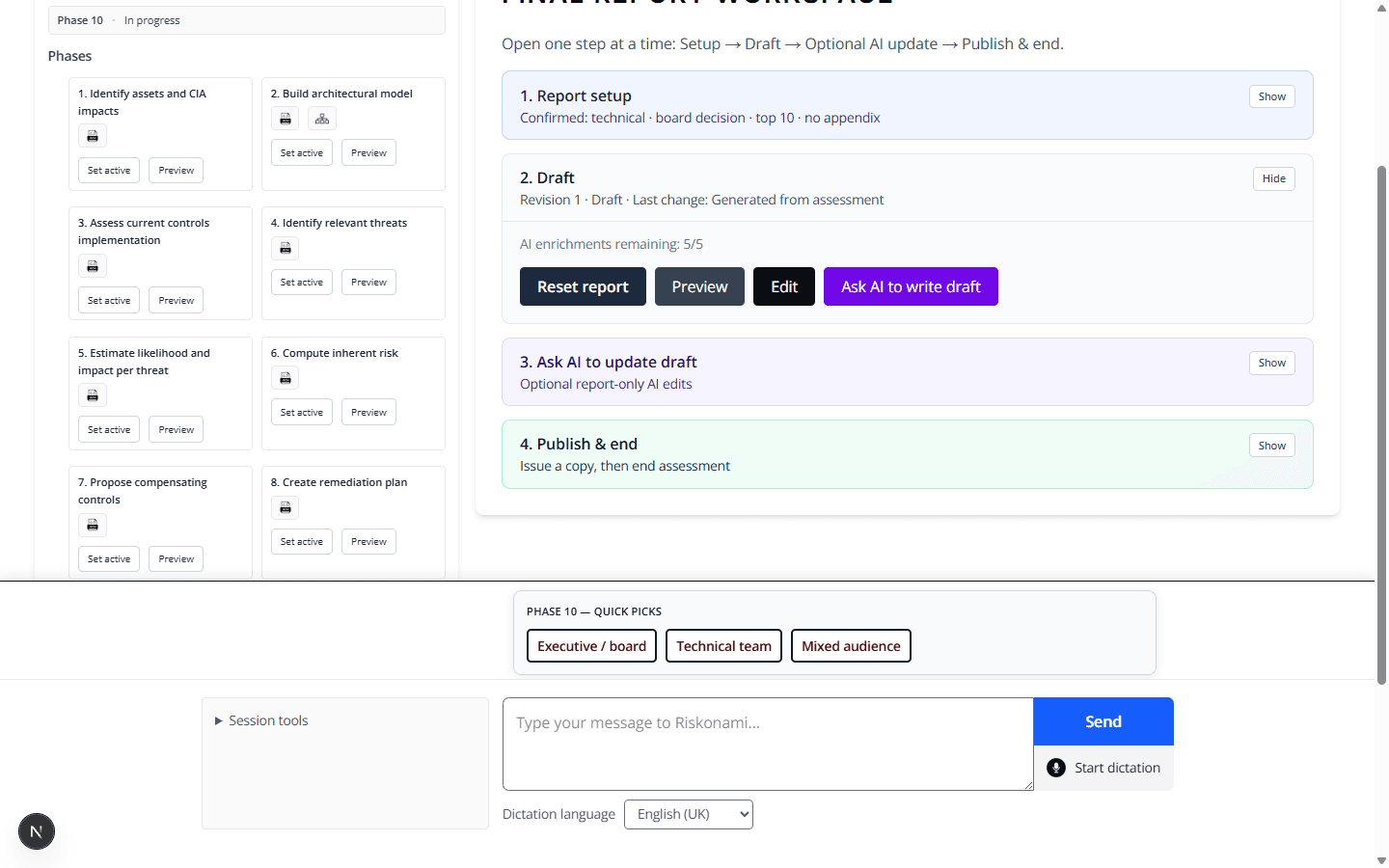
9. Report — draft and optional AI write
Phase 10 builds the deliverable. You set audience/purpose, start a deterministic draft, and may ask AI to help write — then preview.
Report draft workspace
The report is the artefact of the whole chain — not a separate chatbot essay.
Capture 2026-08-09
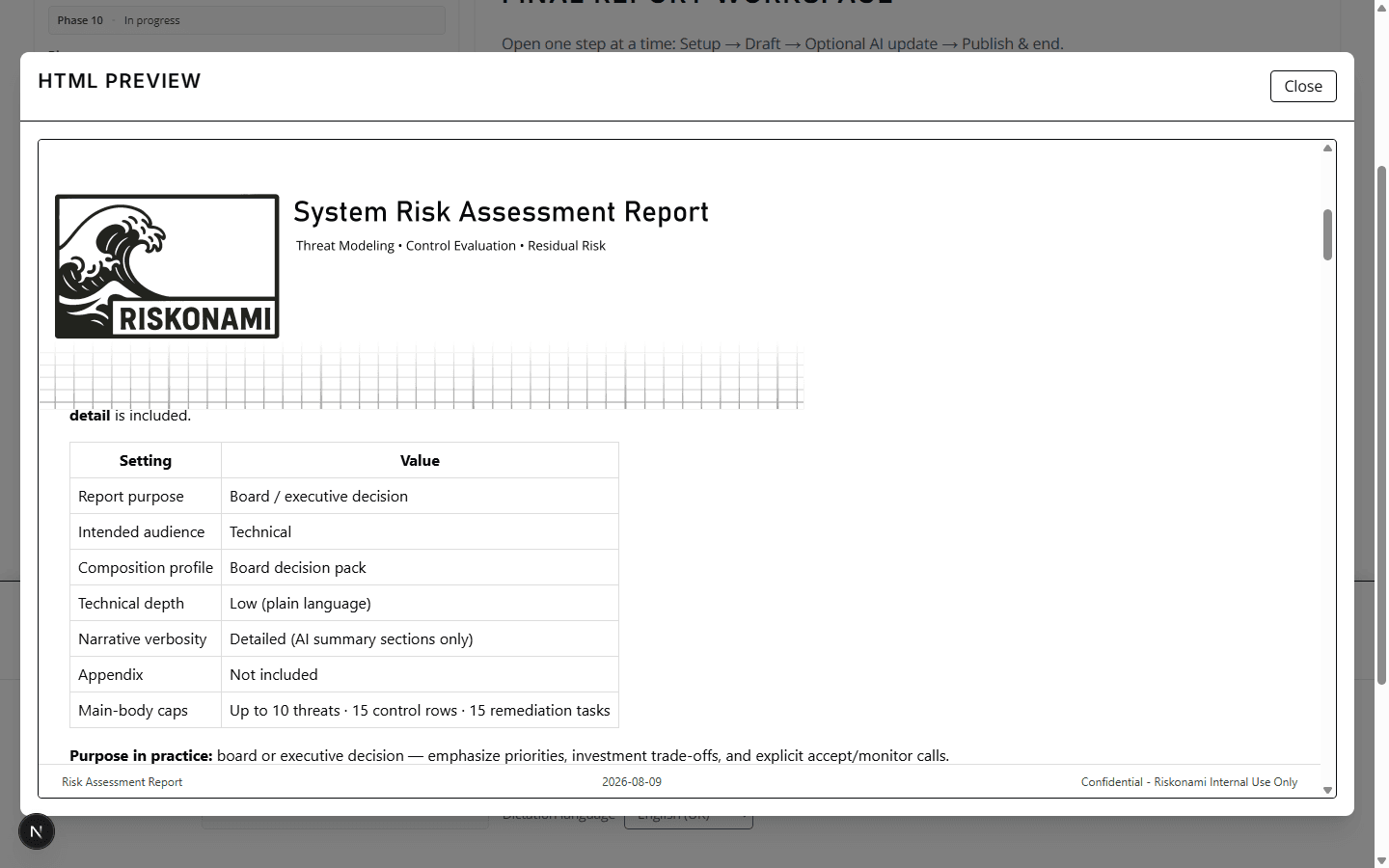
Preview final report
Preview before you issue so stakeholders see the same narrative you will freeze.
Capture 2026-08-09
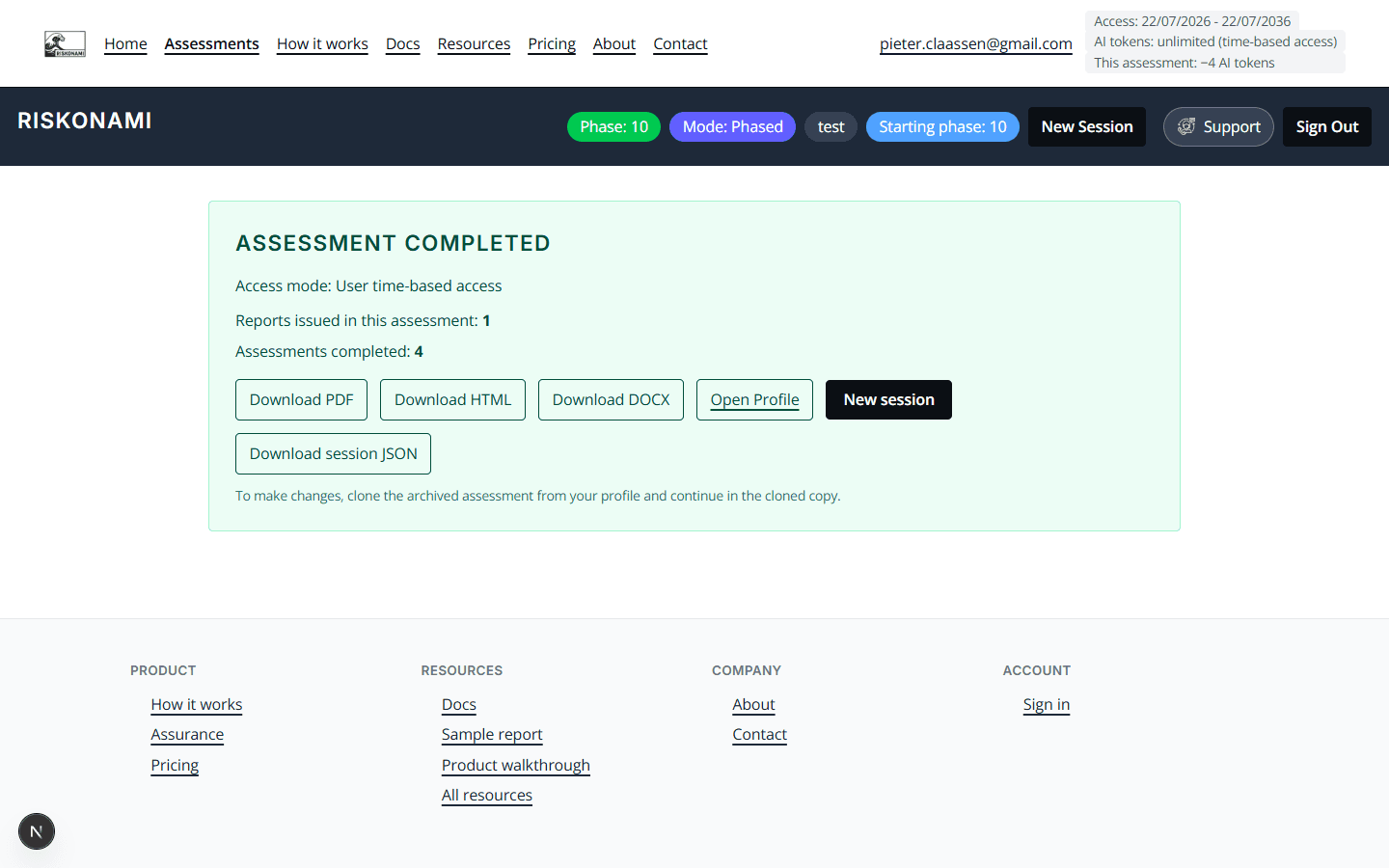
10. Complete — issue and download
When the assessment is complete you can download PDF / HTML / DOCX of the issued report.
Phased assessment complete
Download what you need to keep — server retention is limited. See billing.